
For the places where every day is different.

Scheduling for music schools, performing-arts programmes, clubs and creative hubs — and all the places that run like them.
Four ways to see the week
The diary is where you will spend most of your time: every person, group and room gets a column within each day, shared entries spread across the columns, and selecting one highlights each participant’s track. When that is not the right shape, read the week by period, turn it sideways, or line up any set of dates instead.

A column per person within each day. Shared entries span the columns they belong to.

Read the week by period instead of by the clock, with breaks and lunch where they fall.

Turn the diary sideways when there is not enough room for columns, or to see everything at once.

Pick any set of dates and see them side by side. Copy an entry from January to November with one drag.
Timetabling is creative work. Like the early composers who built great tapestries of sound from a single fixed line — a cantus firmus — a timetabler weaves the many needs of a whole organisation into coherent, rich harmony.
Clashes resolved
Double-booked rooms and people are flagged while you edit, not discovered on the morning. Cantofermo will not publish a clash, and asks for a deliberate decision: give one entry priority, move the other, or step in and fix it by hand.
Green means go
A coloured overlay shows where an entry can go — and where it should not. Some clashes come apart with a simple swap: drag an entry onto the green arrows, without ever needing to know what the other person’s week looks like.

Availability
Cantofermo takes it for granted that things change. Every person, every group and every room can have availability set once and for all, or to the minute, week by week.

Groups
It takes seconds to make a class, a department, or simply a set of people you need to see at the same time — even if they never share a scheduled entry.


You should never have to remember who cannot be in two places at once. Cantofermo keeps track of what would go wrong, so you can spend the morning on the teaching instead of the arithmetic.
Memberships
People join a group, leave it, and come back the following term. Cantofermo keeps a record of each of those periods, so whether you are looking at three years ago or at next term, the timetable is right.
Rules and requirements
Tell Cantofermo how many fit in a room, who needs a piano or a projector, and any other rule — hard or soft — your organisation has to respect. It keeps track, and warns you the moment something breaks.
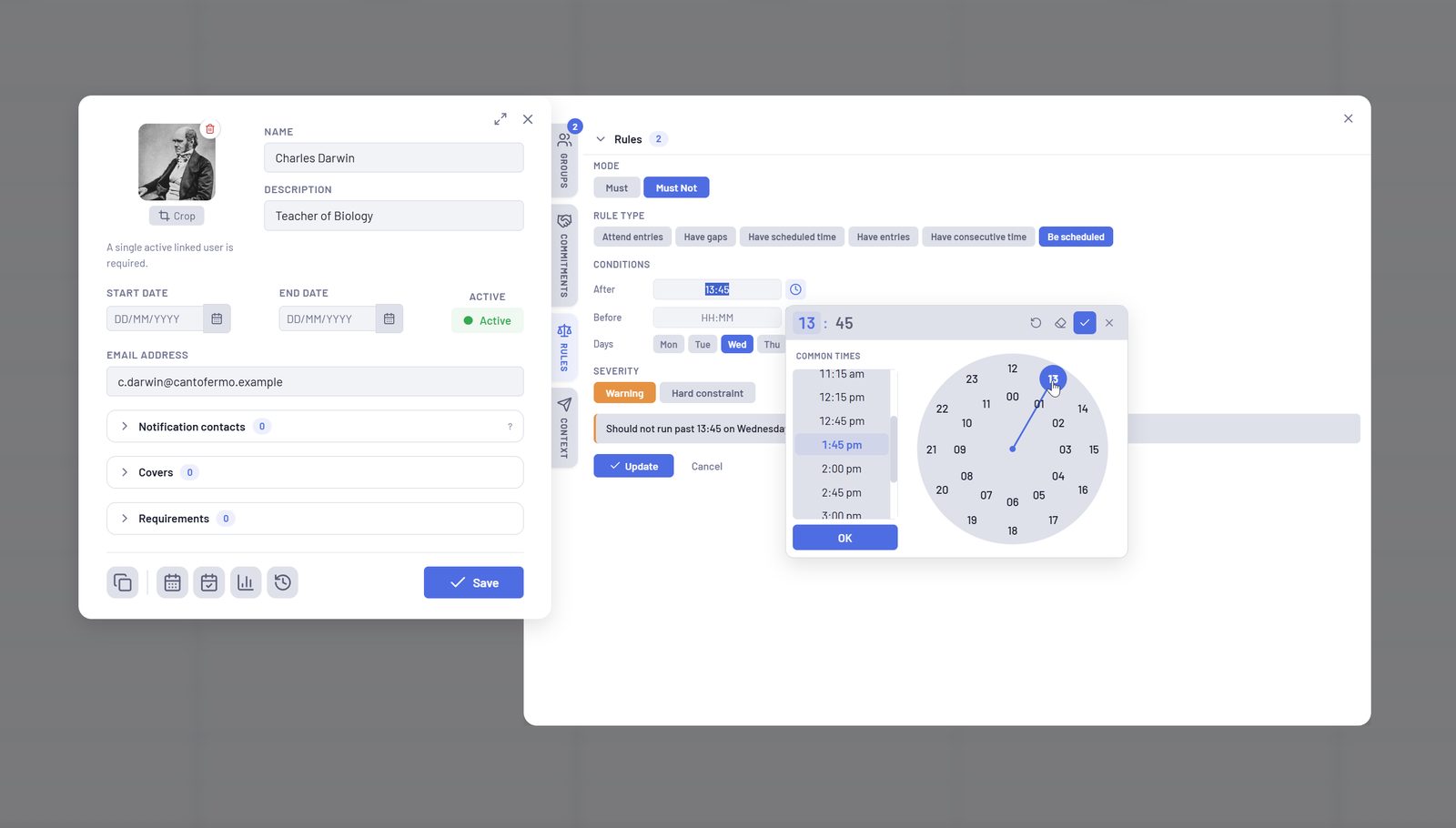
1Set it once, on the person, room or group it belongs to
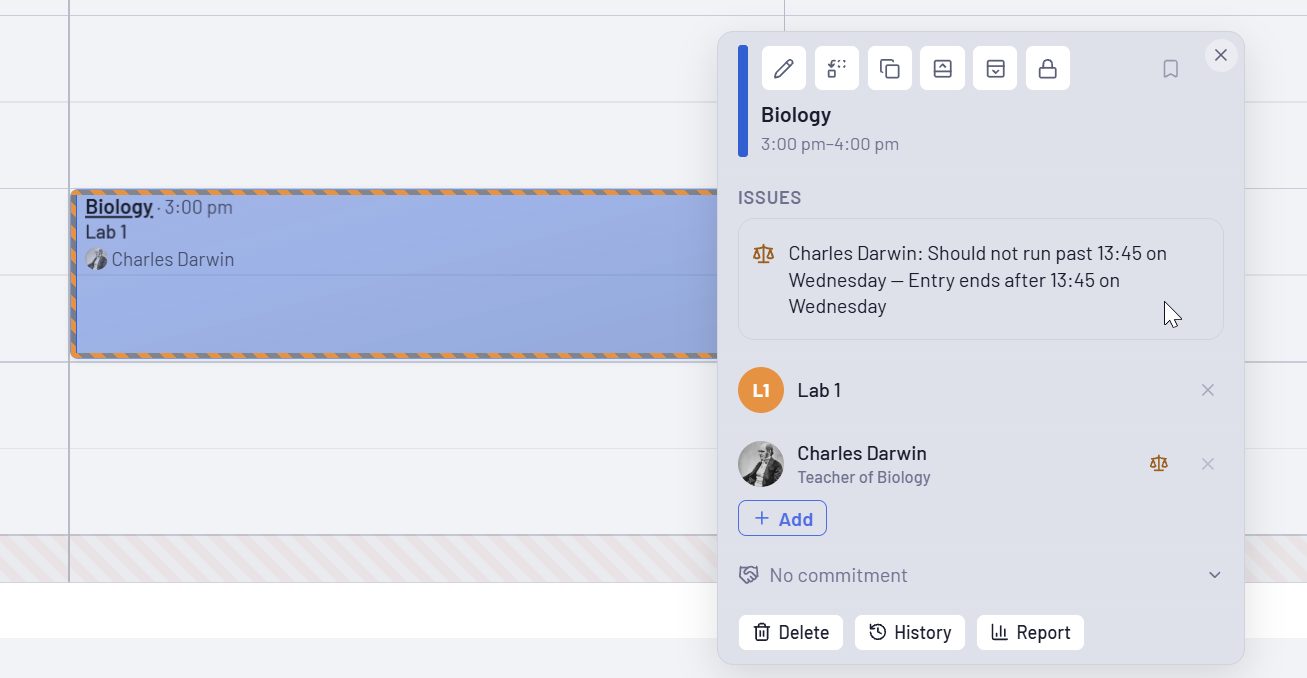
2Anything that breaks it is flagged, with the reason
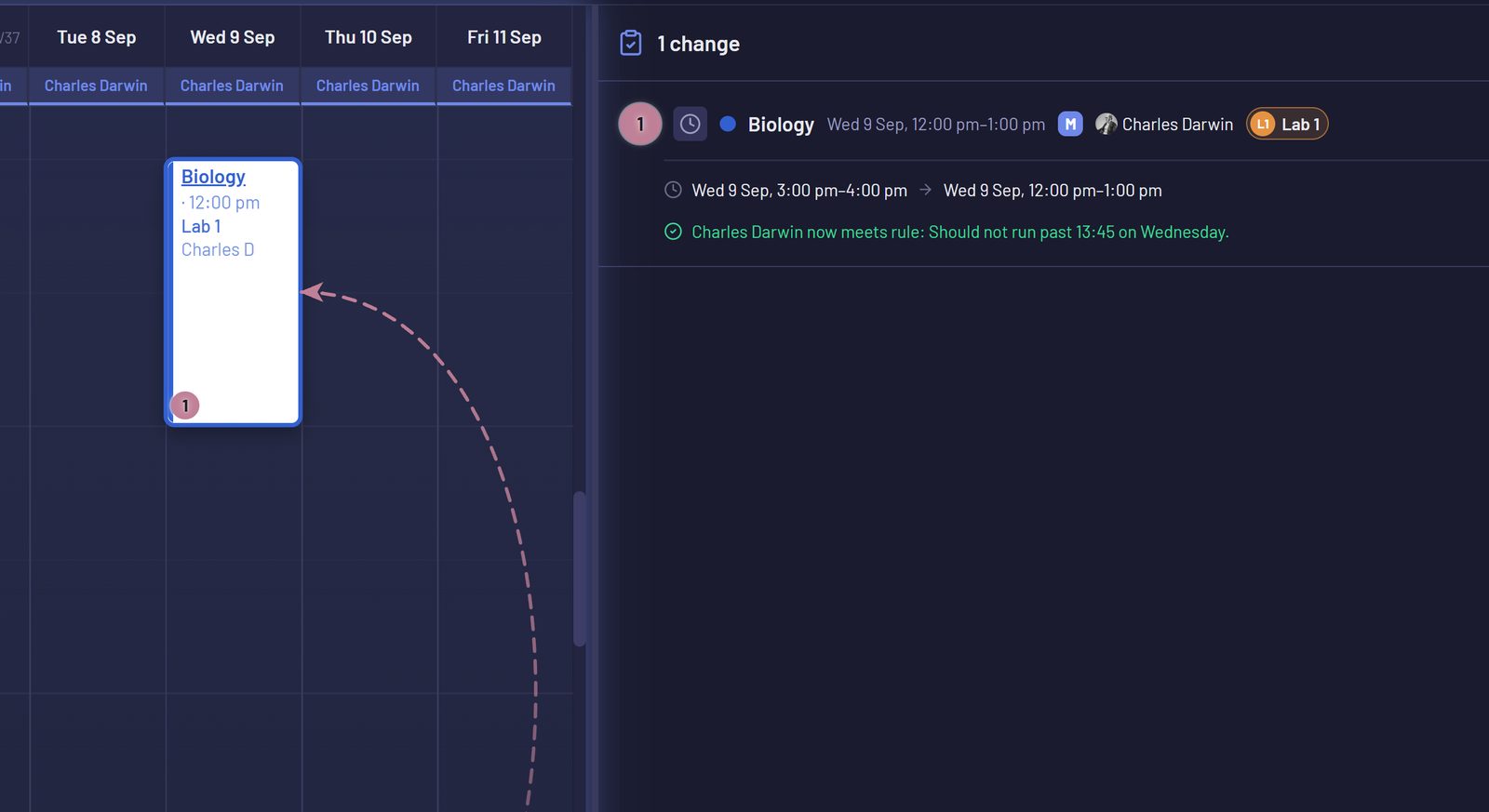
3Move it, and the rule is met again


The magic wand
Cantofermo can see the patterns in your timetable, and it knows what you are trying to schedule. One click, and a teacher’s week is complete.
Plan mode
Try before you buy: line up a set of possible changes, see what they would do to the week, then apply them together or throw them away.

Flexibility is your organisation’s strength. Unexpected changes? No problem: unlock, edit, relock, republish. Everyone is notified, every change is tracked.
Publisher
Choose how the week is presented, and tell teachers about expected absences. Then issue PDFs, emails and calendar files. A whole organisation’s timetables sent in a few clicks — ready to be saved as a preset for next time. Publishing locks the entries that went out: any change after that is tracked and versioned, and you are reminded to tell everyone whose week has moved.
Messages
Start conversations, share attachments, assign tasks — all tied directly to the topics they relate to: a scheduled entry, availability information, updates about a given space, and so on.


Audit log
Every decision is recorded: you are in control of what happens in your database at every level.

Make yourself at home
Find a theme you like, set how you prefer to read dates and times, and shape the entry blocks to taste — then let the creative timetabler loose.
Focus on people, not numbers. Cantofermo knows what has happened, what still needs to happen, and every measure in between. Close the spreadsheets and give your attention back to the people who make your organisation’s mission possible — and the creative, educational excellence you can achieve together.
Where we are
Cantofermo is in testing, with more features arriving steadily. We are opening up to a small number of organisations from here to try it first-hand, either on your own server or hosted by us. Get in touch if you would like to take part.